AI-composed illustration based on YIJIA product references; not a specification drawing. If one button press produces extra counts, trace the event through the contact circuit, input module and program. Contact bounce is one possibility; electrical noise and event-handling logic can also matter. First define what one accepted operation should produce, then identify where the observed […]
Concept illustration. Button color does not identify the contact arrangement; no specific model is shown. A normally open push button contact is open before the actuator is operated and closes when it is operated. A normally closed contact does the reverse. For a spring-return momentary button, releasing the actuator restores the contact to its original […]
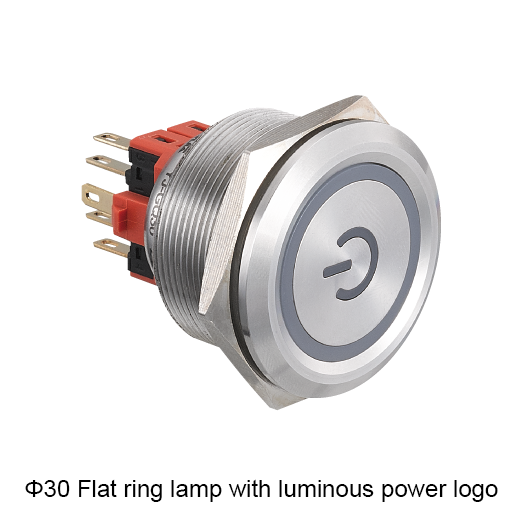
Layout concept, not to scale. The circuit driving the lamp determines the indicated condition. Use a ring illuminated pushbutton when the command and its indication belong at the same panel position. Use a separate pilot light when the indication needs its own location. Compare both arrangements with the same command and the same intended message […]
A motion sensor push button can make sense when operators need to issue a deliberate command without touching the control surface. The best choice is the one that recognizes an intended hand approach, rejects surrounding activity and delivers the signal the controller expects. Detection range, output behavior and installation conditions should therefore lead the buying […]
Concept illustration. Use the exact model documents for product details and installation. Choose a panel buzzer by matching its supply voltage, required alarm behavior and documented sound output to the installation. Add visual indication when the application needs both signals. Confirm the exact model and test conditions, then assess whether the alarm can be perceived […]
Concept illustration. Use the exact model documents for product details and installation. Select automation panel push buttons and indicators by turning each operating function and status signal into a component requirement. Define the action, contacts, supply and mounting conditions for each position, then review the resulting BOM against the control design before selecting complete model […]
We use cookies to enhance your browsing experience, serve personalised ads or content, and analyse our traffic. By clicking "Accept All", you consent to our use of cookies.