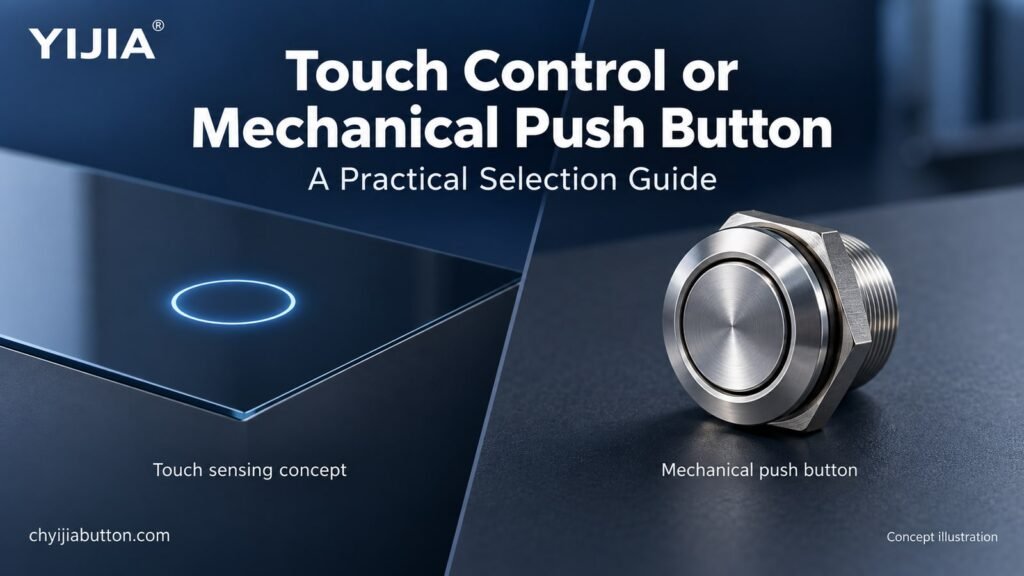
YIJIA control selection guide • Concept illustration
A smooth control surface and a round metal actuator can look equally suitable on a modern panel. They may respond very differently, however, when an operator wears gloves, wipes the enclosure or needs confirmation without looking down. Choosing a push button with touch control starts with those working conditions, not its appearance.
Touch sensing, contactless detection and mechanical switching are different technologies. This guide explains how they operate, where their advantages matter and what equipment buyers should verify. It also shows where a YIJIA mechanical metal push button provides a practical comparison when selecting controls for an industrial panel.
What is a push button with touch control
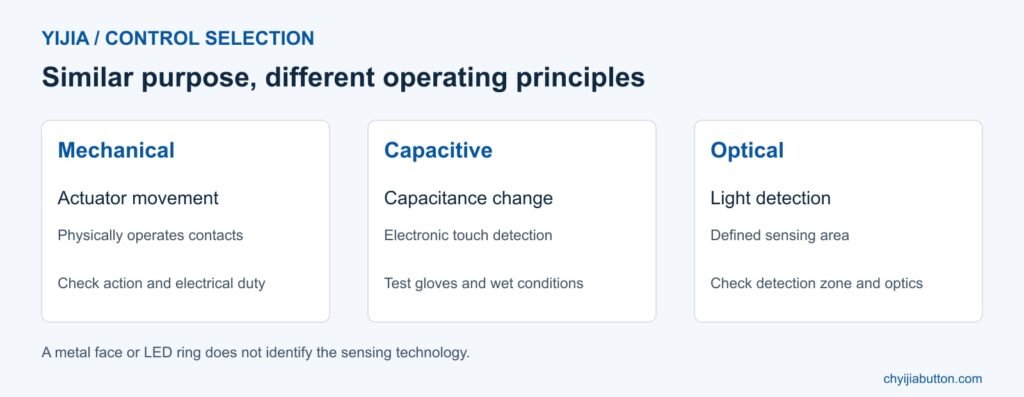
The term usually describes an electronic control that detects a finger at a sensing surface without requiring conventional actuator travel. Capacitive sensing is one common method. The electronics detect a change in capacitance and interpret it as an input when the configured detection conditions are met.
The resulting signal is a command to the connected system. It does not necessarily switch the equipment’s main power directly. Output type, supply requirements and control logic depend on the device. A touch surface can request a temporary action or toggle a function through electronics, without containing a mechanical latching mechanism.
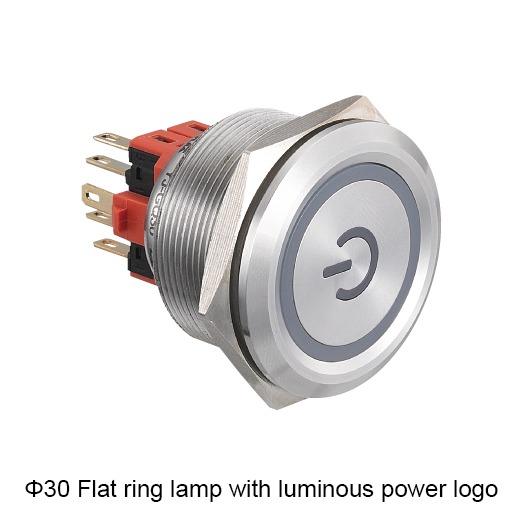
A mechanical push button works differently: pressing its actuator physically operates contacts. A momentary version returns after release; a maintained version stays operated until its specified release action. A light operating force or an illuminated ring does not make that button a capacitive touch device.
Touch and contactless controls are not identical
A touch interface normally expects interaction at its surface. A contactless control detects an object within a defined sensing area, so contact may be unnecessary. Infrared systems can detect reflected light or interruption of a beam, depending on the design. Their detection zones and installation requirements need separate assessment.
Do not assume that any infrared button works through a solid faceplate or responds to a hand at any distance. Check the sensing arrangement, operating distance and response to surrounding objects. A passing sleeve or cleaning movement may matter where unintended commands have consequences.
Likewise, touch control is not automatically a hygiene solution. A finger still contacts a touch surface during normal use. A genuinely contactless interface can reduce the need to touch a shared control, but cleaning requirements remain. Describe the actual interaction instead of treating touch and touchless as interchangeable marketing terms.
Comparing feedback and everyday operation
Mechanical travel gives the operator a physical response. That can be useful when attention stays on a workpiece or when several controls must be distinguished by feel. The required force, head shape and spacing still need evaluation; a small flush actuator is not equally convenient for every operator.
A flat touch interface can support a continuous front surface and flexible visual layout. Without actuator movement, confirmation may rely on illumination, sound or separate feedback. Decide whether that feedback means input detected, command accepted or action completed. Those are different events, particularly when the controller rejects a request.
Test real users performing the intended task. Check whether they can find the control, activate it deliberately and recognise the response. Repeated tapping after uncertain feedback can create unexpected command sequences unless the system handles it appropriately. Good interaction depends on the complete interface, not the sensing technology alone.
Materials and panel construction
Glass and suitable plastics can form the overlay of a capacitive interface, but material and thickness affect sensing performance. Adhesive layers, air gaps and surrounding construction also belong in the design review. A sensor demonstrated behind one sample panel should not be assumed to behave identically behind another.
Metal surfaces require particular care. Conventional capacitive sensing does not simply work through any metal cover. Specialised approaches exist, including systems that detect very small surface deflection. Confirm the actual sensing principle rather than assuming a stainless steel face proves either touch sensing or conventional mechanical operation.
For mechanical metal buttons, distinguish actuator, housing and insulating parts. Consider the specified finish, cleaning chemicals and exposure conditions. Stainless steel appearance does not identify the alloy or establish resistance to every chemical. A purchase specification should identify the required construction instead of relying on a photograph of a silver face.
YIJIA technology comparison • Select by operating principle
Gloves moisture and electrical noise
Glove material and thickness can affect capacitive response. Some designs accommodate gloves, but that capability needs confirmation with the gloves used on site. Test dry and damp conditions where relevant. Increasing sensitivity may introduce other effects, so adjustable sensitivity is not a substitute for validating the application.
Water on a touch surface can alter the measured signal. Suitable sensing designs can improve liquid tolerance, yet the result depends on implementation. An enclosure’s ingress protection rating and the ability to reject false touches are different properties. A sealed panel can still produce unwanted inputs when wet.
Electrical noise and surrounding conductive objects also deserve attention. Evaluate the interface in its assembled enclosure with the intended power supply and nearby equipment operating. Check grounding, cable routing and installation instructions. For optical controls, inspect the sensing window and environmental limitations specified by the manufacturer rather than applying capacitive assumptions.
Durability cleaning and maintenance
Removing conventional moving contacts can avoid particular wear mechanisms, but it does not guarantee a longer service life for every touch control. Electronics, sealing, overlays, connectors and the installation environment remain relevant. Compare documented test conditions and service requirements instead of claiming that all touch devices outlast mechanical switches.
A smooth surface can simplify wiping, provided the material tolerates the approved cleaning method. Establish how the equipment prevents cleaning from issuing commands. Review any cleaning mode, inhibit function or isolation procedure within the machine design. A sealed appearance does not authorise unrestricted pressure washing or use of aggressive chemicals.
Plan replacement access as well as normal operation. A modular mechanical button may be replaced individually, whereas an integrated touch panel may involve a larger assembly. The actual service arrangement varies. Compare downtime, spare availability and configuration recovery as part of the purchasing decision, rather than considering unit price alone.
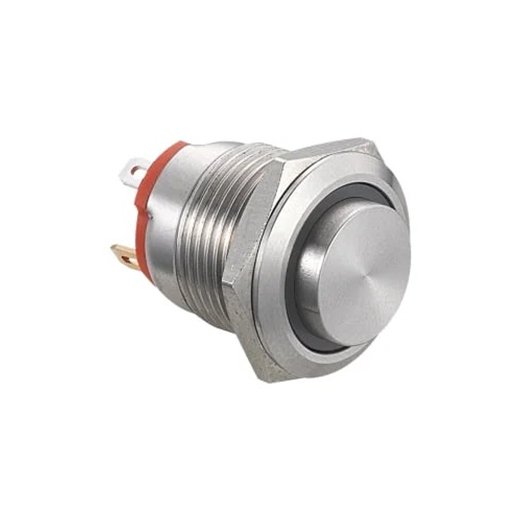
YIJIA YJ-GQ16 short type metal push button • Official product photograph
A YIJIA metal push button as a mechanical option
YIJIA’s YJ-GQ16 short type product page specifies a nominal 16 mm installation size, momentary operation and a 1NO contact. It lists screw and pin terminal options and a stainless steel actuator. This is a mechanical product reference for comparison; these details do not establish capacitive or infrared functionality.
For a panel requiring a physical press and a defined contact signal, assess that configuration against the circuit and mounting drawing. Check the permitted panel thickness, rear clearance, electrical duty and termination method. Where illumination is required, confirm the lamp specification separately and verify the available ordering combination with YIJIA.
If your design specifically requires touch sensing, describe that requirement explicitly in the enquiry. Request confirmation of the sensing technology, output, supply, environmental performance and available model. Do not order an ordinary metal push button on the assumption that a smooth head or illuminated face makes it touch sensitive.
In a commercial appliance, a flat interface may support simple legends and an easy wiping routine. At a machine station, a physical actuator may help an operator locate a command while watching the process. Public equipment may need clear visual confirmation and protection from unintended interaction. None of these examples makes one technology universally preferable. Build a short evaluation around the actual task: deliberate activation, repeated operation, cleaning, loss of supply and return to service. Record missed inputs and unintended inputs separately. Both affect usability, but they can have different consequences and may require different changes to the interface, mounting position or control logic.
Defining the application before requesting a sample
Write down who operates the control, what the command does and what happens after activation. Include gloves, cleaning, moisture, lighting and accidental contact risks. For electronic sensing, define the required output behaviour and response after power restoration. For mechanical controls, specify operating action and contact arrangement.
Give YIJIA the mounting requirements, circuit details, desired finish and quantity, then request confirmation of a suitable product. Test the proposed sample in the intended panel under operating conditions. Ordinary touch or mechanical controls must not be treated as emergency stop devices without the required device characteristics and a properly designed safety function.
FAQ
Is a touch control button the same as a mechanical push button
No. Touch sensing interprets an electronic detection signal, while a mechanical actuator physically operates contacts. A low operating force or LED ring does not identify the sensing method. Check the selected model’s technical documentation.
Can touch controls work with gloves
Some can, depending on sensing design, sensitivity and glove construction. Test the actual glove type and expected conditions. A successful bare finger demonstration does not establish dependable operation with thick protective gloves or wet surfaces.
Does an IP rating prevent false touches from water
No. Ingress protection describes protection against specified environmental exposure. Rejecting water related inputs is a separate sensing performance issue. Verify both the installed sealing requirements and the control’s response to moisture in the intended application.
Are touch buttons always more durable
No. Eliminating certain moving parts changes the potential failure mechanisms; it does not remove all of them. Compare the complete device, documented endurance, installation environment and maintenance requirements before predicting which option will last longer.
Does YIJIA YJ-GQ16 provide capacitive touch control
The reviewed short type product page describes momentary mechanical operation and a 1NO contact. It does not establish capacitive sensing. Use it as a mechanical option and ask YIJIA to confirm a separate suitable model if touch sensing is essential.
Title: Touch Control vs Mechanical Push Buttons | YIJIA
Description: Compare touch control and mechanical push buttons for industrial panels. Check sensing, gloves, moisture and feedback, with a YIJIA metal button example.
Keywords: push button with touch control, capacitive touch button, mechanical push button, metal push button switch, YIJIA
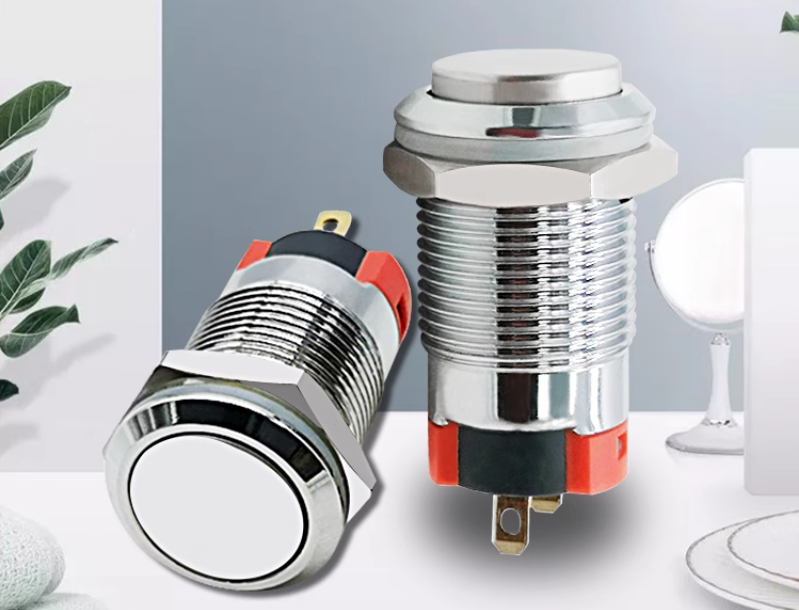
Installation dimensions: φ12MMCurrent: 5A/10A/15A/18AOperation: momentary / latching-cabinet latchIP degree: lP65 (waterproof industrial push button switch)The shell material: brass clad Chromium/stainless steel Want to know more about the product: Metal Push Button Switch Metal button switch LED indicator light power on effect diagram. LED lights are available in red, green, blue, yellow, and white for selection. […]
Concept illustration. Use the exact model documents for product details and installation. Choose a YJME-8 limit switch by matching the actuator to the machine’s approach direction, movement and mounting space. Check the operating point, permitted travel and return movement on the exact model drawing. Confirm the mechanism can operate the switch without exceeding its documented […]
Basic principles of limit switches A limit switch is an electrical switch used to detect the position or travel of an object. When the object moves to a predetermined position, the limit switch is triggered, switching its internal circuit, thereby achieving control and feedback of the mechanical position. A limit switch usually consists of an actuator, contacts, […]
We use cookies to enhance your browsing experience, serve personalised ads or content, and analyse our traffic. By clicking "Accept All", you consent to our use of cookies.