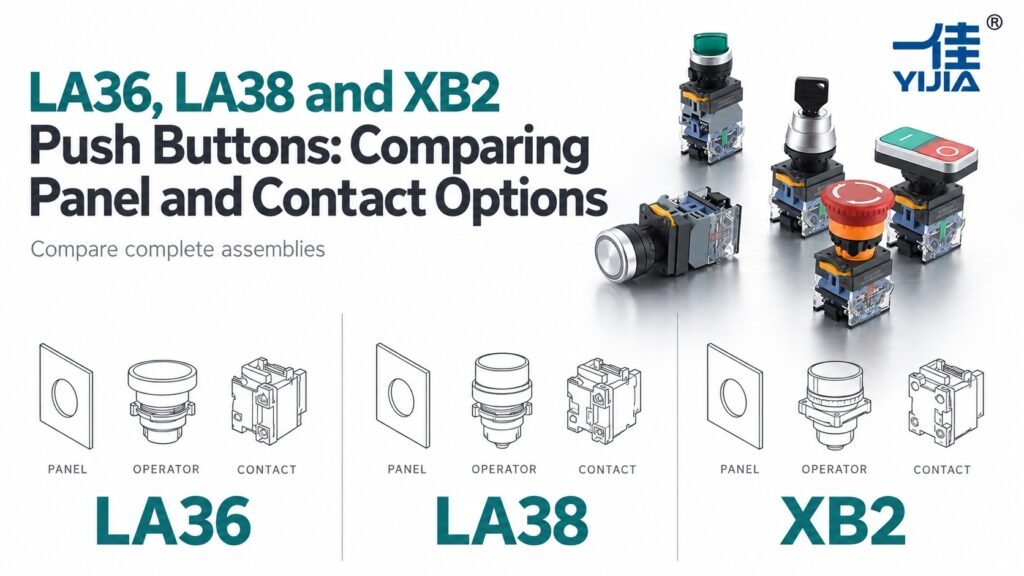
Concept illustration. Use the exact model documents for product details and installation.
Choose among LA36, LA38 and XB2 push buttons by comparing complete configurations for panel fit, operator action and contact modules. Check the mounting arrangement and assembly depth before ordering. Similar appearance or series naming does not confirm that components can be exchanged between series or brands.
Compare Complete LA36, LA38 and XB2 Assemblies
Define the Panel and Contact Requirements First
Compare the operator, mounting parts and contact modules as a complete assembly. The visible head tells you little about the depth, contact arrangement or way the modules are secured behind the panel. Begin with the fixed opening, available space and circuit functions.
YIJIA offers LA36, LA38 variants and XB2 within its panel-control range. These families create useful choices for a new design, but their similar applications do not make their components interchangeable. Keep the manufacturer and full series reference in every comparison.
Define the reason for comparing the families. A new panel may prioritize assembly access and operator choice, while a replacement may be constrained by the existing opening, wiring and spare-parts policy. State which requirements cannot change before evaluating candidates. This prevents a visually appealing alternative from reaching purchasing while an essential mounting or contact requirement remains unresolved.
Create one record for each complete candidate. Include the operator head, fixing arrangement, contact modules, lamp components and termination method. Keep the supplier and full reference visible. Names such as LA38 can cover different variants, so a shortened family name is insufficient for a drawing request or replacement decision. The comparison should lead to an approved assembly, not merely a preferred catalogue heading.
Technical Differences Across the Candidate Series
Compare Cutouts and Mounting Structures on Model Drawings
Mounting size is an early screening criterion. The listed LA36, LA38M and XB2 families use 22 mm mounting descriptions, while the specific YJ139-LA38A range is listed for 30 mm. This distinction matters before any comparison of head appearance or contact count.
Use each selected model drawing to confirm opening tolerance, locating details and the permitted panel stack. Even matching nominal openings do not prove that retaining parts, head envelopes or rear assemblies will fit the same installation.
Use the mounting description to screen candidates, then use the actual drawing to approve fabrication. The stated 22 mm or 30 mm size does not include every tolerance, locating feature or permitted panel-stack detail. Preserve those details when transferring the selected assembly into a panel drawing. A nominal opening match is a starting point, not proof of complete fit.
For an existing panel, compare the measured opening and thickness with the proposed drawing. Include any overlay, legend plate or specified sealing arrangement. If the alternative requires a change, document the panel revision and its effect on service replacements. This is particularly important when different LA38 variants appear in a purchasing system under similar descriptions. Full references help prevent a nominal-size error from becoming a fabrication or installation problem.
Check Contact Block Options and Permitted Assemblies
List the required NO and NC functions and identify the permitted module combination for each candidate. Modular construction can help create a defined circuit arrangement, but it is bounded by the approved assembly and available parts.
Check how modules attach, whether additional parts are required and how the resulting assembly changes depth. Buy an identified combination rather than a collection of blocks with plausible names. Do not exchange modules between LA36, LA38 or XB2 merely because their clips appear similar.
Treat modularity as a controlled set of combinations. The operator, mounting interface and contact modules must be approved to work together. A module that can be clipped into place has not necessarily been shown to retain correctly, operate through the required travel or provide the intended contact sequence. Keep the accepted assembly arrangement with the BOM.
Identify whether a quoted code represents a complete operator assembly or only one component. This affects both price comparison and receiving inspection. If loose modules are supplied, assembly staff need the permitted arrangement and a way to verify that the finished unit has the required functions. A complete description also helps purchasing detect when a cheaper quotation omits lamp parts, mounting pieces or contact modules needed by the design.
Verify Operator Action and Contact Switching Characteristics
Keep operating action separate from contact action. Momentary or maintained describes what the operator does after release. Quick-action or slow-action describes contact movement, and neither term by itself establishes operating force, electrical endurance or suitability for a particular duty.
Use the technical document for the complete configuration. If a short title and detailed specification disagree, have the discrepancy resolved rather than selecting whichever wording sounds preferable. The switching requirement should come from the circuit and operating conditions.
Write the operator sequence separately from the contact requirements. For a momentary push button, describe press and release. For a maintained operator or selector, describe the relevant positions and return behavior. Then identify the contact states needed in each condition. This makes the selection understandable without relying on a broad mechanism label.
Where contact-motion terminology is relevant, obtain the exact model’s technical description and use it for the intended engineering assessment. Do not infer electrical endurance or application suitability from the word quick alone. Ratings, load conditions and installation still govern the choice. If a catalogue summary and detailed data disagree, settle the discrepancy before publishing the specification in a panel BOM or approving a replacement across an equipment range.
Compare Installed Depth and Terminal Access
Compare the fully assembled depth, including all contact modules, lamp parts and terminals. Review access to screws or connectors after adjacent devices are fitted. The shallowest head is not necessarily the most convenient assembly to wire.
Selection example: a panel requires two contact functions at one position. A candidate fits with one module but interferes with a duct when the second is added. Compare the final module arrangement and connection access before approving the candidate or changing the panel layout.
For the two-contact example, evaluate the assembly after all required modules are fitted. Check the deepest projection, the access to each terminal and the path of the connected conductors. Review the space needed to attach or remove the module as well as the final installed outline. The assembly must be serviceable in the populated enclosure, not only on an empty bench.
Compare candidates using the same measurement reference. Record rear depth from the mounting surface and include the actual termination. A bare module dimension and an installed assembly dimension should not be treated as equivalent. If one candidate saves space but needs a different wiring method, assess the assembly and maintenance consequences before deciding that the smaller nominal dimension makes it the better choice.
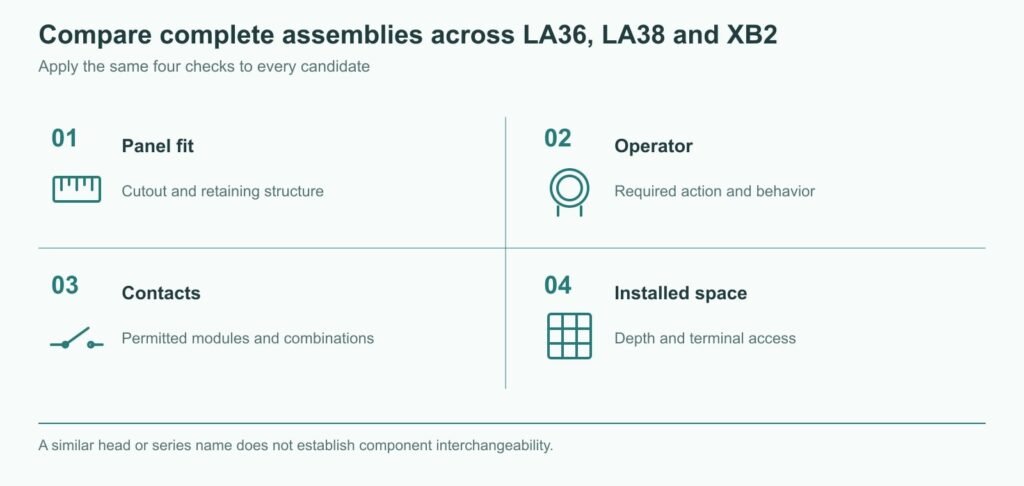
A similar head or series name does not establish component interchangeability.
Where Different Panel and Contact Options Help Buyers
Match the Assembly Structure to the Panel Build Process
Assembly structure affects installation time and later replacement. Review how the operator is secured, when modules are attached and which parts must be removed to service one position. A sample assembly can reveal tool-access problems that a front-view layout misses.
The benefit of YIJIA’s different panel-control families is the opportunity to choose a suitable construction for the build process. Record the accepted procedure and parts so purchasing does not replace that construction with a superficially similar assembly.
Walk through the intended build process with a representative assembly. Determine when the head is mounted, how the fixing arrangement is secured, when the contact modules are attached and how the wiring is completed. Check whether adjacent devices block tools or make identification difficult. Small differences in module access can become important when the same panel is built repeatedly.
Consider the service operation too. Can one contact module be replaced under the approved procedure, or must the complete operator be removed? Which parts must be disturbed to gain access? The answer can influence spare-parts planning and maintenance time. YIJIA’s panel-control families provide alternatives to evaluate, while the buyer’s accepted procedure establishes which construction best suits the actual build and service requirements.
Select Contact Modules Around the Required Circuit Functions
Choose modules from the required circuit functions outward. A single NO request, a paired NO/NC function and a multi-contact selector need different reviews. Additional contacts should have a defined purpose and remain within the approved assembly limits.
Link every contact function to the schematic. For a selector, use a position table; for a push button, identify the required unoperated and operated paths. If the design uses only one path from a larger arrangement, document how unused terminals are handled. Additional functions should never be left for the installer to interpret from the physical module count.
Once the assembly is accepted, retain a clear written description beside its code. Include the operator action, contacts, lamp supply where applicable and mounting parts. This supports fair quotation comparisons and repeat orders. When an alternative family is proposed, compare it against that complete requirement rather than trying to interchange individual modules based on a similar clip, color or external shape.
Frequently Asked Questions
Can LA36, LA38 and XB2 Contact Blocks Be Interchanged?
Do not assume interchangeability. Check the manufacturer’s approved operator, mounting and contact-block combinations. A shared function or similar physical clip does not establish mechanical retention, correct actuation or electrical equivalence.
Do Similar Operator Heads Use the Same Panel Cutout?
No. Compare the drawings and complete series references. In particular, the specified LA38A range and LA38M range should not be treated as one mounting size. Confirm the opening and panel stack for each proposed part.
How Should I Verify Descriptions of Contact Switching Action?
Use the detailed model specification and resolve conflicting descriptions with YIJIA. Separate the operator’s return behavior from the contact mechanism. Select the assembly against the actual circuit duty and required operating sequence rather than a marketing label.
Compare Panel and Contact Configurations
Send the Existing Model and Panel Drawing with the Required Contacts
Send YIJIA the existing full model, panel drawing, available depth and required contact functions. For a new design, state the assembly and service constraints. Request complete candidate assemblies with module and mounting documents so the comparison covers the installed product.
Search Metadata
Title: LA36 vs LA38 vs XB2 Push Buttons
Description: Compare complete LA36, LA38 and XB2 assemblies by panel opening, contact modules, operating action and installed access.
Keywords: LA36 vs LA38 vs XB2, modular push button contacts, panel mounting compatibility
Push Button Switch Wiring Principle The principle of button switch wiring is simple: it is to connect the switch contacts to the circuit to achieve the connection and disconnection of the circuit. Button switches typically have two contacts, a moving contact and a stationary contact. The moving contact is movable and changes with the pressing […]
What is the use of push button switches? A push button switch, also known as a control button, is a common mechanical low-voltage electrical switch used to control circuits. Press the button manually to start or stop. It is often used to control equipment such as lights and electrical appliances to control small currents of […]
What is a plastic button box The plastic button box is a protective device that is mainly used to install and fix various buttons and switches to facilitate operation and protect the components from the external environment. This kind of button box is mostly made of plastic material and is widely used in industrial and […]
We use cookies to enhance your browsing experience, serve personalised ads or content, and analyse our traffic. By clicking "Accept All", you consent to our use of cookies.