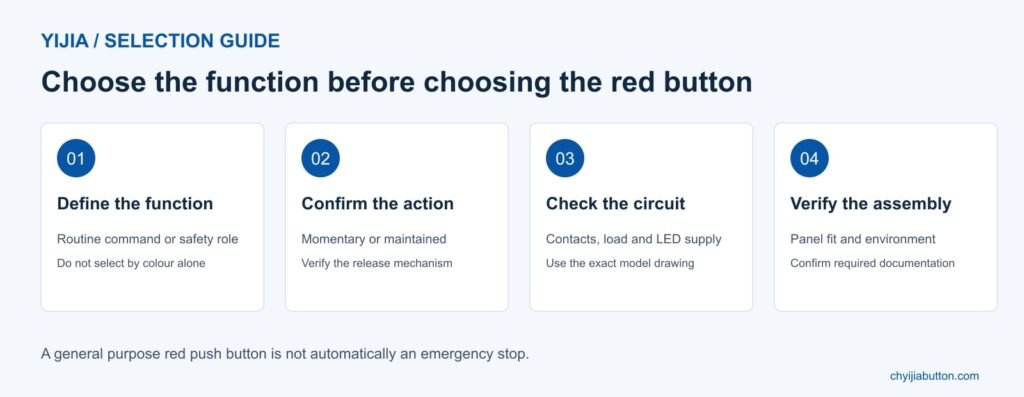
A red push button is easy to notice, but its colour does not tell you what happens inside the switch. It may provide a momentary command, hold a contact in a changed state or combine switching with illumination. Choosing the right device starts with the required control function, not the colour of its head.
For equipment manufacturers and maintenance buyers, that distinction matters most when a button is associated with stopping a machine. A general purpose red push button is not automatically an emergency stop. This guide explains the operating options, electrical checks and panel details to consider when selecting a red push button switch from YIJIA.
What the colour red tells an operator
Colour helps people recognise controls within an established panel layout. Red is strongly associated with emergency operation, and it also appears on certain stop controls. Its meaning should be consistent with the machine’s design requirements, applicable standards and the surrounding controls. It should never be assigned casually simply because it attracts attention.
Use readable legends or symbols alongside the chosen colour. Operators should be able to distinguish the required action without guessing from an unmarked button. Consider lighting, viewing angle and the conditions in which the equipment is used. A control that is obvious on a desk may be less clear behind a guard or on a crowded cabinet.
Colour is a communication choice, not proof of contact arrangement, reliability or safety approval. It does not establish whether a switch is normally open, normally closed, momentary or maintained. Those details belong in the product specification and circuit documentation.
Momentary and maintained red push buttons
A momentary red push button returns to its normal position when released. Its contacts change state while the actuator is operated, then return according to the mechanism. A controller or relay circuit may use that brief action to initiate a function that continues after release. The button itself does not decide how long the machine response lasts.
A maintained push button remains in its operated position until it is deliberately released. The release action depends on the selected mechanism; a second press is one possible arrangement, but not a universal rule. Specify both the operating action and the reset method when comparing products.
Two switches with matching red heads can therefore produce different results. When replacing a component, check its full ordering code and circuit role. A similar appearance is useful for panel consistency, but it is not a sufficient basis for substitution.
A red button is not necessarily an emergency stop
An emergency stop device has requirements beyond a red actuator. It needs the appropriate mechanical behaviour and contact construction, and it must form part of a suitable safety control system. A general purpose latching button does not become an emergency stop merely by adding an emergency label.
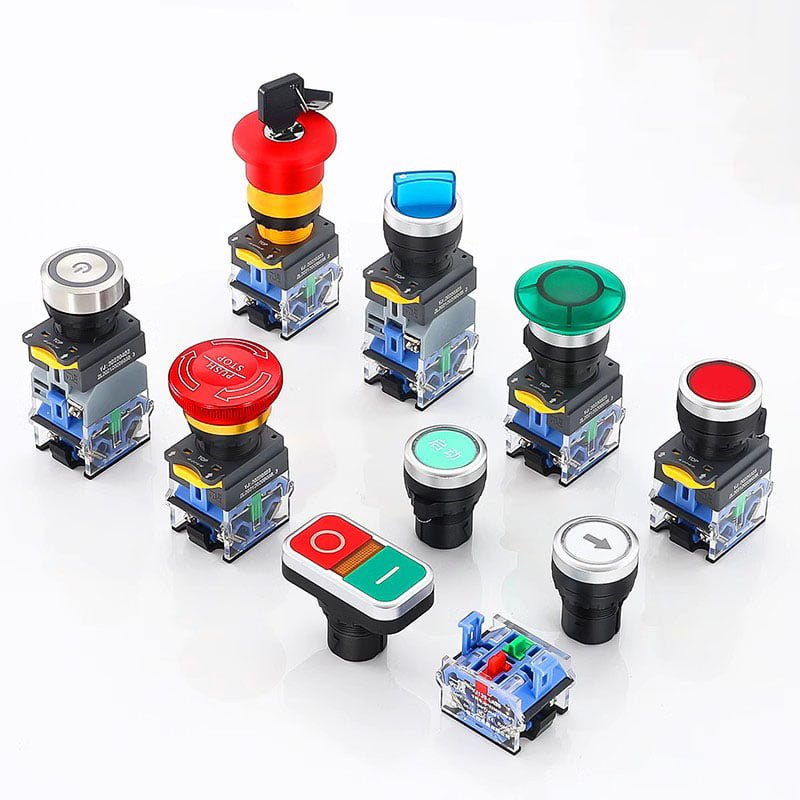
Manufacturer guidance distinguishes emergency stop devices by features including mechanical latching and direct opening action for the relevant contacts. Emergency stop identification uses a red actuator with a yellow background. The complete selection must follow the requirements applicable to the machine and its risk assessment, rather than a photograph or a generic product description.
Releasing an emergency stop must not itself restart the machine. Resetting the device and commanding a restart are separate actions. Also, emergency stopping does not necessarily mean instantly removing every electrical supply: the required stopping behaviour depends on the hazards and machine design. A qualified designer should establish the function and verify the complete circuit.
For routine operator commands, choose the specified general purpose control. For an emergency stop function, request documentation for a suitable emergency stop model. Keep those two purchasing requirements separate even when both products have red heads.
Illuminated red push buttons and indication
Illumination can help operators locate a control or recognise a defined condition. Decide whether the light means that power is available, a command has been issued or a particular condition exists. The wiring and control logic must support that meaning. An illuminated actuator does not independently confirm that equipment has stopped.
Check the lamp supply separately from the contact rating. A red LED specified for one voltage must not be treated as compatible with every supply. Confirm AC or DC requirements, polarity where applicable and terminal identification. The lamp colour does not determine the operating voltage or the switch’s load capacity.Consider whether a separate signal lamp would communicate status more clearly. Combining indication and actuation saves panel space, but operators still need to understand whether they are looking at a
command control, a status indication or both. Avoid ambiguous signals that depend on remembering undocumented conventions.
YIJIA selection checklist • Check the exact model specification
Electrical details that belong in the specification
Start with the required contact arrangement. A normally open contact is open in the normal, unoperated state; a normally closed contact is closed. The circuit designer determines which arrangement is needed. Do not assume that every red button contains a normally closed contact or that an NC contact alone makes a circuit safe.
Next, record the actual load voltage, current and type. AC and DC switching duties differ, and a relay coil is not equivalent to a resistive load. Use the rating appropriate to the application rather than the largest number in a catalogue summary. For low level controller inputs, confirm suitability at the intended signal level as well.
Keep lamp terminals and contact terminals clearly identified during assembly. Use the selected model’s drawing and installation instructions, including the specified conductor and termination requirements. Where a control operates a larger load through another device, verify the complete arrangement rather than assuming that the panel button should switch the load directly.
Panel fit and environmental exposure
A mounting diameter is only the beginning of the mechanical check. Compare the panel cutout, allowed panel thickness, head dimensions and clearance behind the panel. Leave enough room for terminals, connectors and wire bends. Confirm that mounting hardware can be fitted and serviced without disturbing adjacent controls.
Metal and plastic constructions can both be suitable when their properties match the application. Select materials and finishes with cleaning agents, moisture and handling conditions in mind. A stainless steel bezel does not prove that the complete switch is waterproof, and a plastic head is not automatically unsuitable for industrial use.
Check the declared ingress protection for the exact configuration and installation. Front panel protection may not extend to exposed rear connections. Seals, covers and correct mounting can affect the result. For outdoor equipment, investigate temperature and sunlight exposure separately rather than treating an IP rating as a complete environmental specification.
Checking the installed control
Review the installed button from the operator’s normal working position. Check that its legend remains readable and that nearby equipment does not obstruct access. Confirm the intended response during the machine’s commissioning procedure. Test illumination against the condition it is meant to represent, rather than checking only that the LED lights up.
During maintenance, investigate sticking movement, loose mounting, damaged seals or inconsistent operation. Follow the equipment’s isolation procedure before inspecting connections or replacing parts. Cleaning should use methods compatible with the actuator, legend and sealing materials. A change in feel or an intermittent response deserves attention even when the exterior still looks intact. Keep a record of the replacement configuration and completed checks. This makes later troubleshooting easier and reduces the chance that a visually similar but electrically different part enters the maintenance stock.
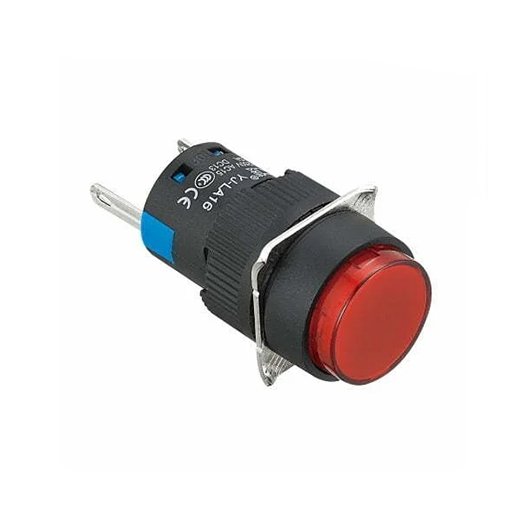
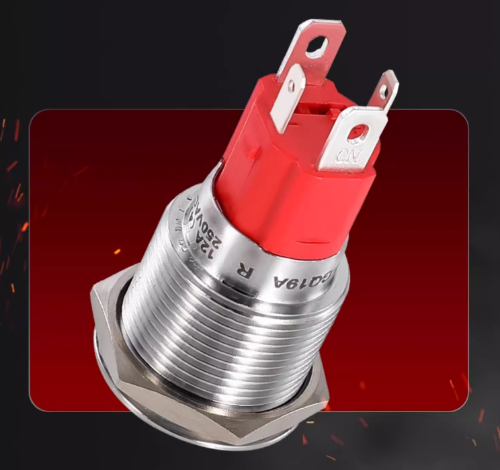
YIJIA LA16 round head example • Manufacturer product photograph
Selecting a red push button from YIJIA
YIJIA’s push button range provides a starting point for comparing head styles, operating actions and installation requirements. The YJ-LA16 series lists a nominal 16 mm installation size, multiple head shapes and different functional configurations. Select the specific red actuator and assembly required rather than ordering by series name alone.
Send the panel drawing or cutout details with the required operating action, contact arrangement, load information and lamp supply. Include the environment, quantity and any connector requirements. If the function is safety related, state that clearly and request the applicable model documentation instead of assuming that a general catalogue description establishes suitability.
For replacements, provide the original part number and clear photographs of the head, body and terminal markings. Ask YIJIA to confirm the configuration before ordering a sample. Evaluate that sample in the intended panel and record the approved ordering code so later purchases remain consistent.
FAQ
Is every red push button an emergency stop
No. Red describes the actuator colour. Emergency stop suitability depends on the device construction, operating behaviour, documentation and complete safety function. A standard red momentary or maintained button should not be substituted on appearance alone.
Does a red push button always have an NC contact
No. The contact arrangement depends on the model and selected configuration. Check the ordering code and contact diagram. The required arrangement must come from the circuit design, not the colour of the actuator.
Can a red illuminated button show that a machine is safe
The light can indicate only the condition represented by its circuit. It is not independent evidence of a safe state. Define the indication carefully and use the required verification arrangements for any safety related information.
Will a maintained button restart equipment when released
That depends on the control design. A maintained contact and the machine’s restart logic are different things. In an emergency stop application, releasing or resetting the device must not itself initiate a restart.
What should I check before buying in quantity
Confirm the exact model, mounting drawing, operating action, contacts, electrical duty, lamp supply and environmental requirements. Evaluate a sample in the real panel. Keep the approved specification and any required accessories with the purchasing record for future reference.
Title: Red Push Button Switches Functions and Selection | YIJIA
Description: Understand red push button switch functions, illumination and selection. Compare ordinary controls with emergency stop requirements before choosing a model.
Keywords: red push button switch, red momentary push button, illuminated red push button, emergency stop button, YIJIA
Introduction The button switch is a common electrical switch used to control circuits. In English, it is often referred to as a “push-button switch”. This article provides a comprehensive guide to button switches, including their definition, types, components, uses, maintenance, and safety considerations. Button Switch Definition A button switch is a manually operated electrical switch […]
Installation dimensions: φ19MMCurrent: 5A/10A/15A/18AOperation: momentary / latching-cabinet latchIP degree: lP65 (waterproof industrial push button switch)The shell material: brass clad Chromium/stainless steel Want to know more about the product: Metal Push Button Switch Metal button switch LED indicator light power on effect diagram. LED lights are available in red, green, blue, yellow, and white for selection. […]
Installation dimensions: φ16MMCurrent: 5A/10A/15A/18AOperation: momentary / latching-cabinet latchIP degree: lP40 (waterproof industrial push button switch)The shell material: brass clad Chromium/stainless steel Want to know more about the product: Metal Push Button Switch Metal button switch LED indicator light power on effect diagram. LED lights are available in red, green, blue, yellow, and white for selection. […]
We use cookies to enhance your browsing experience, serve personalised ads or content, and analyse our traffic. By clicking "Accept All", you consent to our use of cookies.