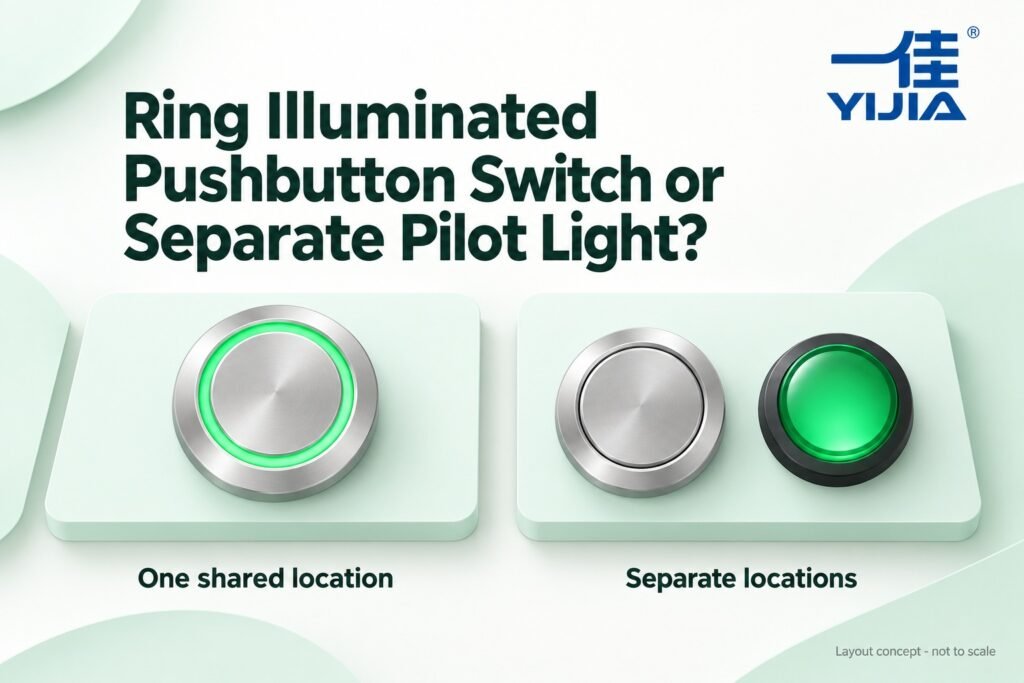
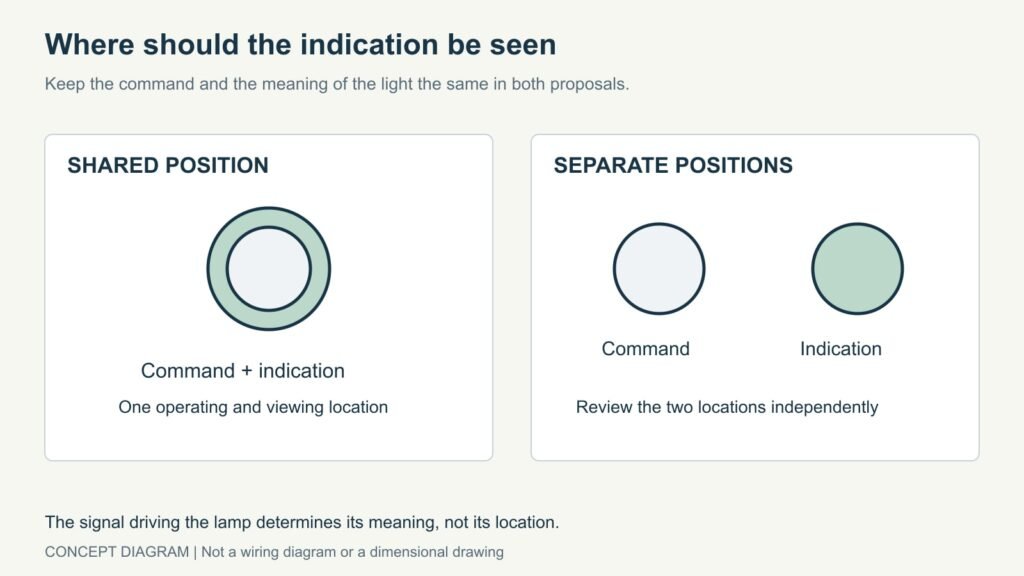
Layout concept, not to scale. The circuit driving the lamp determines the indicated condition.
Use a ring illuminated pushbutton when the command and its indication belong at the same panel position. Use a separate pilot light when the indication needs its own location. Compare both arrangements with the same command and the same intended message before deciding from appearance or hole count.
An illuminated button does not determine what its light means. The circuit supplying the lamp does that. A light connected to a command signal may show that a request exists; it does not automatically confirm that the machine has completed the requested action.
Write the command and indication separately
Describe what the operator does, then describe what the light reports. For example, an ordinary momentary button might request a machine cycle, while a controller output supplies a separately defined acknowledgment. This is an illustrative interface example, not a proposed machine control or safety circuit.
Use the same descriptions in both layout proposals. If the ring-button proposal shows a command request while the separate lamp shows confirmed process status, you are comparing different functions rather than two ways to place the same indication.
Identify the signal source in the component schedule. Keep that signal name consistent with the panel legend and electrical drawing. A label such as “Ready” should describe the condition the control design actually establishes, not a meaning inferred from a green lens.
Compare the operating point with the viewing point
Mark where the operator stands to press the button and where the indication needs to be seen afterward. Those may be the same position. They may also differ because the operator turns toward a workpiece or because the status concerns a larger equipment group.
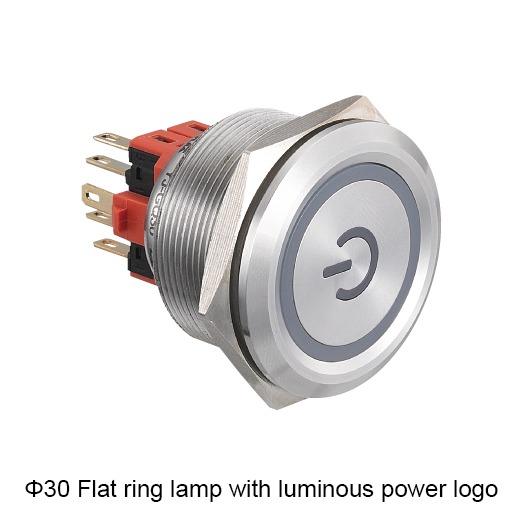
An integrated ring places the indication at the operating point. Check whether a hand, panel frame or adjacent component obscures it during the relevant task. A separate lamp gives the designer an independent position, but its label and line of sight still need assessment.
Decision
Ring illuminated button
Button with separate pilot light
Panel positions
Command and indication share one position
Command and indication occupy separate positions
Viewing location
Tied to the button position
Can be selected independently
Labeling
Must distinguish the command from the lamp message
Each component can have its own legend
Electrical specification
Contacts and lamp still need separate requirements
Button and lamp need separate component records
Purchase comparison
Quote the complete illuminated assembly
Quote both components and required installation items
Concept diagram for purchasing review. Use the exact model documentation for approval.
If the question is whether indication is required at all, first read the comparison of LED and non-illuminated metal push buttons. Here, the indication is already part of the requirement.
Use documented candidates instead of generic pictures
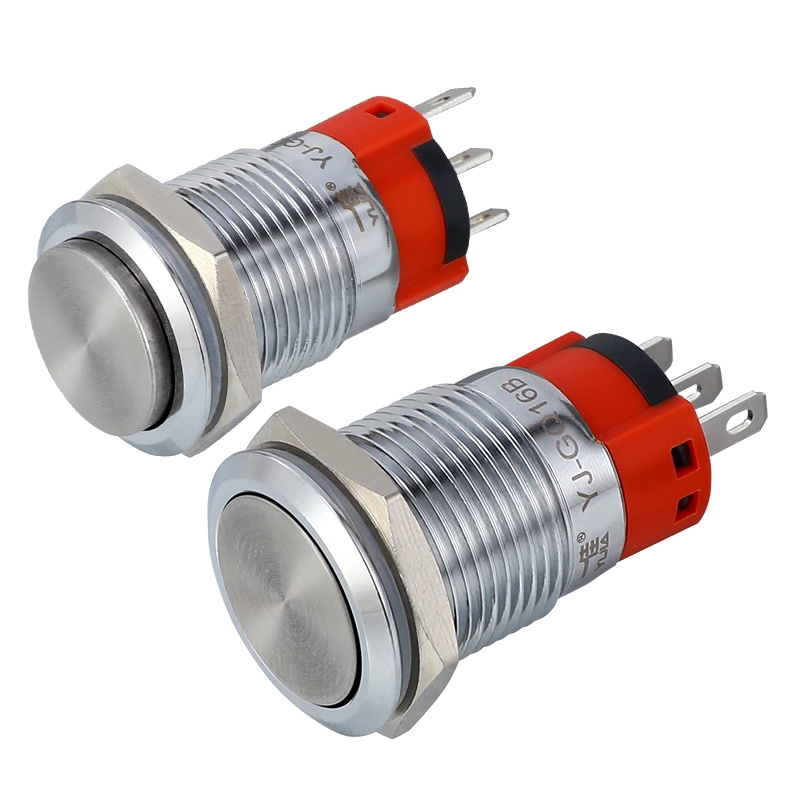
The YJ-GQ19 short-type catalogue includes a flat momentary ring-lamp row, YJ-GQ19BF-10E/J/☆△○, and a flat momentary unlit pin-terminal row, YJ-GQ19F-10/J/☆. These are catalogue selection references; the symbols still require the applicable material, lamp voltage and color choices.
Both examples belong to a 19 mm mounting family and use a 1NO command contact. Their drawings and rear arrangements must still be checked individually. Similar front appearance and the same mounting designation do not establish the same installed depth or wiring envelope.
Count panel positions, then draw the complete faces and their labels. Include the hand’s approach to the button. For the separate arrangement, reserve the indicator’s own position rather than assuming that an unused patch of panel is a suitable viewing location.
Behind the panel, include terminals, connection parts and cable routing for every component. One integrated assembly is not automatically shallower than two separate components. What matters is whether the proposed parts fit at their respective positions with enough access for assembly and service.
Compare quotations against the same scope. Identify the complete button, the separate lamp where required, mounting items and any labels or connection parts supplied separately. A difference in the number of components does not establish the total installed cost without considering the actual quotation and assembly work.
Keep lamp supply separate from contact duty
The switch contacts and the lamp perform different jobs. Specify the command contact arrangement and switching duty, then state the lamp voltage, AC/DC requirement, color and driving signal. Do not describe both merely as “a 24 V button” and leave the supplier to infer the circuit.
Ask for the matching terminal diagram for the proposed assembly. The exact connection information controls installation; a diagram from a visually similar ring button is not sufficient. The electrical designer should also confirm that the chosen driving signal is suitable for the lamp.
Review the chosen layout before a repeat order
Evaluate visibility and access in the intended panel position under representative lighting. Record the assembly reference, legend and signal meaning with the panel revision. If the indication moves later, reassess whether an integrated or separate arrangement still meets the task.
Keep the replacement scope explicit. Stores should know which complete assembly or separately documented component to reorder. A description such as “green illuminated button” omits the contact function, lamp supply and connection details that made the original selection suitable.
Build a signal description that the layout can communicate
Before selecting a light position, write the condition that causes the indication and the action expected from the operator. For example, a controller acknowledgment and a measured process condition are different information sources. The same green ring could be used to display either in a particular design, but its physical appearance cannot tell the reader which one is intended. The approved signal description and legend must make that relationship clear.
Also define what an unlit indication means. Depending on the system, darkness could represent a normal inactive state, an absent supply or another condition requiring investigation. A purchasing comparison should not invent a diagnostic meaning for an unlit lamp. Ask the control designer to specify the intended behavior and the relevant limitations so the chosen interface does not encourage an unsupported interpretation.
For a shared button-and-light position, distinguish the command wording from the status wording. A label telling the operator what to press may not explain what the light reports. If the two roles cannot be communicated clearly in the available space, an independent indicator position is worth reviewing. That is an interface consideration, not a claim that separate lamps are always easier to understand.
Walk through the actual operating sequence
An illustrative layout review can begin with an operator approaching the panel, identifying the command, pressing the button and looking for the required feedback. Keep the command and signal meaning unchanged while comparing integrated and separate positions. Observe the task from the normal working location rather than only from directly in front of a loose component. The review records the proposed layout; it does not establish a universal viewing-distance rating.
Consider whether the hand covers the ring during the point at which feedback is needed. If it does, determine whether the operator can still obtain the required information at the appropriate time. A separate lamp may allow a different viewing position, but moving the indication too far from its associated command may create a different recognition problem. The review should examine the relationship rather than favor one arrangement in advance.
Include other displays and normal ambient lighting. A lamp that appears distinct on an otherwise empty bench may be harder to identify among several similar indicators. Check the legend and the association with the correct equipment group. Record the conditions under which the sample was reviewed, including any relevant enclosure window or surrounding structure. Do not turn a favorable observation into an unsupported visibility specification.
Compare complete purchasing and service scopes
For the integrated proposal, identify the complete illuminated button and any separately supplied installation items. For the separate proposal, list the button and pilot light as distinct items with their own references. Include the required contacts, lamp supply and colors in both descriptions. This avoids comparing a complete illuminated assembly with an offer that includes only a bare actuator and an unspecified lamp.
Ask whether the quoted replacement item is the complete assembly or a separately documented service part. The answer affects the spare-parts record, but it should come from the actual product information. Do not assume that a ring lamp can be replaced independently or that a separate indicator is repairable internally. A purchasing decision should not depend on a service feature that has not been established for the selected model.
The project cost comparison can include installation and maintenance work where you have reliable information about your own process. Keep component price, additional parts and assembly activities distinguishable. An integrated unit may reduce panel positions in a particular design, while a separate arrangement may simplify a particular replacement task. Neither observation establishes the total cost without the actual component scope and service requirements.
Keep changes visible after the first panel is approved
Store the accepted layout alongside the signal description and component references. A later decision to move the status display, change its meaning or alter the lamp supply should trigger review of the affected fields. A component that still fits the opening may no longer be appropriate for the revised interface. Conversely, a visual redesign does not automatically require changing the command contacts if their function remains unchanged.
For repeat panels, use a consistent designation for each command and indication in the drawings and purchase list. If one item performs both roles, retain both descriptions in its record. If the roles are separated, retain their association so assembly and maintenance know which indicator belongs with which command or equipment group. The component count alone cannot communicate that relationship.
Before releasing the order, compare the final quoted references against the reviewed layout one more time. Check that a supplier substitution has not changed the lamp arrangement, connection method or required mounting parts. Resolve any difference while the panel documentation can still be updated coherently. This makes the original comparison useful through installation and later service rather than leaving it as an isolated purchasing discussion.
Frequently asked questions
Is an illuminated button proof that the machine is running
No. Its meaning depends on the signal driving the lamp. The label must match that signal and the approved control design.
Is an integrated button always cheaper
Compare complete quotations and installation scope. Fewer panel positions do not prove a lower total cost.
When does a separate pilot light help
It provides an independent display position when the required viewing point differs from the operating point or when status belongs in a separate labeled group.
Compare the two layouts for your panel
Send the command description, intended indication, signal source, lamp supply, panel sketch and quantity through YIJIA’s inquiry page. Identify the candidate button and indicator families and ask for complete component references and drawings for each arrangement.
Due to their versatility, reliability and ease of use, plastic push button switches have become an integral part of countless electronic devices and industrial applications. These push button switches offer a wide range of functions and configurations suitable for a variety of industries and applications. Plastic push button switches are typically made from high-quality thermoplastic […]
Yijia Product Brochure.zip In the field of industrial production, the degree of automation is getting higher and higher, and industrial robots, as an important production tool, have been widely used in various industries. In order to meet the demanding control requirements of industrial robots, Yijia has introduced the Limit switch series of push-button switches designed […]
We use cookies to enhance your browsing experience, serve personalised ads or content, and analyse our traffic. By clicking "Accept All", you consent to our use of cookies.