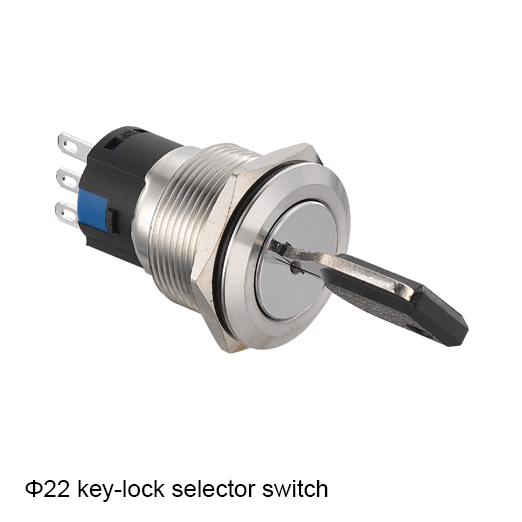
Selecting the right Momentary Push Button Switchs for a panel can feel like navigating a minefield of options. The momentary switch is a small component with big impact. It controls start-up processes, resets, and user interactions across machinery, control panels, and consumer electronics. This article guides you through practical steps, helps you compare features, and shows you how to identify the best match for your application.
If you’re designing or upgrading a panel, the Metal Push Button Switch is often the simplest way to add reliable user input. It’s designed to return to its resting state after being pressed, which makes it ideal for start, stop, reset, or door-activated functions. The right switch can improve safety, reduce wear on other components, and provide clear feedback to operators. But how do you know which one to choose when there are dozens of variants? Let’s break down the key considerations and walk through a practical selection process.
Why Momentary Push Button Switches Matter
Momentary devices are common because they reduce mechanical wear. When the user presses the button, the circuit closes only for the duration of the press. That simple behavior is what makes these switches so versatile in panel design. Panels often require compact form factors, robust rating, and tactile feedback to improve operator confidence. Understanding the purpose of the button—whether it’s signaling, starting a motor, or initiating a safety interlock—helps determine which specs matter most.
Momentary Push Button Switchs Core Specifications to Review
Electrical rating: Look at voltage, current, and surge tolerance.
Mechanical life: How many cycles can the switch endure before failure?
Contact configuration: Normally open (NO), normally closed (NC), or changeover (SPDT).
Actuator style: Round, square, plunger, or illuminated options.
Illumination: LED backlighting, engraving, or panel indicators for visibility in low light.
Mounting type: Panel cutout dimensions, bezel, and mounting depth.
Environmental rating: IP rating, resistance to dust, moisture, and vibration.
Safety features: Lockout, key release, and overload protection.
Compliance: RoHS, CE, UL, and other regional certifications.
Tactile feel: Travel, actuation force, and feedback quality.
Table: Quick comparison of common Momentary Push Button Switch variants
Variant
NO/NC/NO+NC
Illumination
Mounting
Typical Use
Momentary NO
NO
Optional LED
Panel mount
Start button
Momentary NC
NC
Optional LED
Panel mount
E-stop reset
Dual-throw momentary
NO+NC
Optional LED
Surface mount
Reset/acknowledge
Tips for Choosing by Application Momentary Push Button Switchs
For a start/stop control on a motor drive, a Momentary Push Button Switch with reliable electrical rating and clear tactile feedback is essential. You may prefer a waterproof or IP-rated variant if the panel is exposed to harsh environments.
For equipment that operates in low light or darkness, illumination improves visibility and reduces operator error. Consider backlit or luminous buttons with durable life cycles.
If safety interlocks or emergency stops are involved, choose switches with robust mechanical detents and certified safety compliance.
Panel Integration and Layout
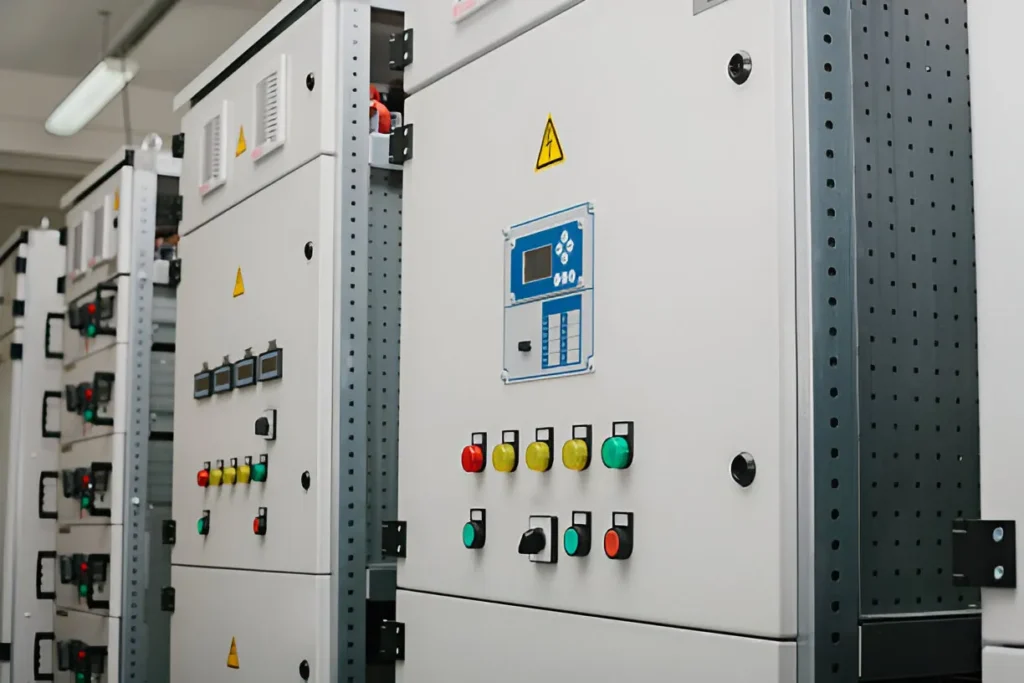
A successful panel design balances function, ergonomics, and aesthetics. The right Momentary Push Button Switch should be easy to reach, clearly labeled, and visually distinct from other controls. Use contrasting colors for the actuator and panel legend to reduce misactivation. Plan the layout around typical operator workflows. Keep frequently used buttons within easy reach and place critical controls near the panel edge for quick access.
Table: Panel layout considerations
Consideration
Description
Practical Tip
Reachability
How far the user must move to press
Place essential controls within a 14–18 cm reach zone
Tactile feedback
Feel of the click and actuation force
Choose switches with a firm, audible tactile response
Labeling
Clarity of function
Use high-contrast legends and durable engraving
Environmental exposure
Dust, moisture, vibration
Select IP-rated devices and rugged housings
Aesthetics
Visual harmony with the panel
Match bezel color and button size to the panel design
Mechanical Life and Reliability
The lifespan of a Momentary Push Button Switch depends on how often it is pressed and how harsh the operating environment is. Panels in industrial settings demand higher cyclic life and robust sealing. When you assess life expectancy, consider the worst-case duty cycle and temperature effects. Beyond cycles, consider resistance to contaminants such as oil, coolant, or cleaning agents.
Factor
Impact
Mitigation
Operating temperature
Higher temps can shorten life
Select rated devices for higher operating temps
Duty cycle
Frequent presses accelerate wear
Choose high-cycle variants
Contaminants
Dust, oil affect contacts
Use sealed bodies and protective gaskets
Vibration
Can loosen connections
Secure mounting and strain relief
Electrical and Safety Ratings
The Momentary Push Button Switch you select must handle the electrical load safely. Review voltage, current, and inrush current ratings. For AC mains, ensure appropriate insulation strength and protection against arc events. For DC circuits, verify contact material compatibility and voltage spikes. Safety certifications can simplify procurement and installation in regulated environments.
Table: Electrical and safety considerations
Criterion
What to check
Why it matters
Voltage rating
Match system voltage
Prevents insulation breakdown
Current rating
Align with load current
Avoids overheating and contact wear
Inrush tolerance
Handles surge currents
Protects power supplies and motors
Contact material
Copper alloy, silver alloy
Influences contact resistance and longevity
Certifications
UL, CE, RoHS
Ensures compliance and safety
Illumination and Indicators
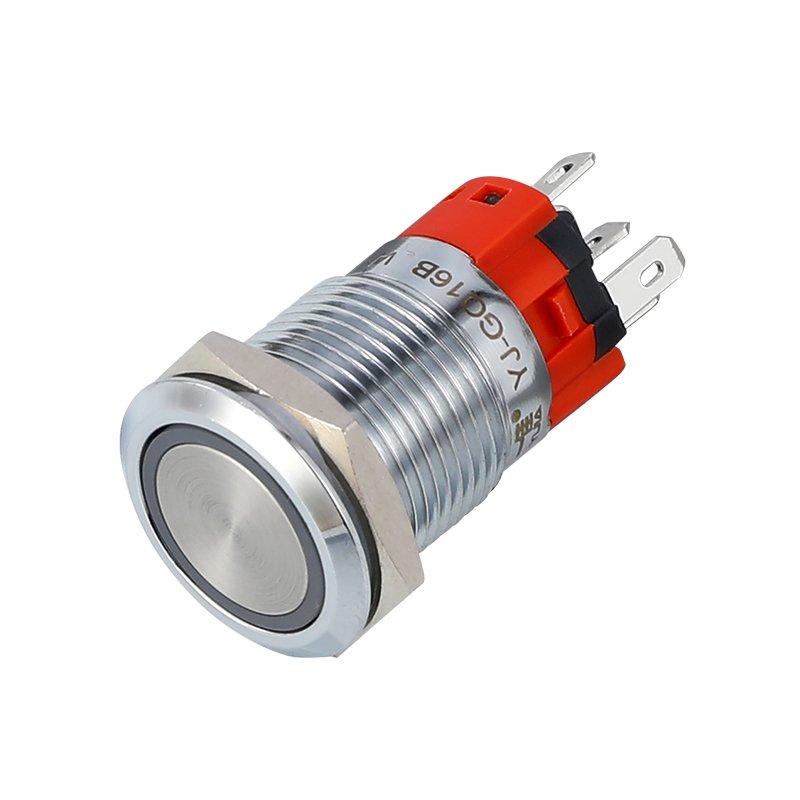
YJ-GQ22B Illuminated Momentary Push Button Switches improve operator visibility. When selecting illumination, consider color coding, intensity, and power consumption. Ensure that the illumination does not draw more current than the switch can safely handle. If you need a switch that glows in the dark without external lighting, opt for durable LED options with long life cycles and low power draw.
Table: Illumination features
Feature
Options
Pros
Cons
LED backlight
Red, green, blue, amber
High visibility
Requires power source
Neon glow
Static glow
Simple enhancement
Less durable than LEDs
Non-illuminated
None
Simplicity and cost
Hard to locate in dim areas
Actuator Styles and Aesthetics
The actuator is more than a cosmetic detail. It affects how easily a user presses the button and how the button looks on the panel. Actuators vary in shape, size, and color. Some offer tactile feedback with a distinct click; others provide a smooth feel. Choose an actuator that aligns with your panel’s size constraints and user expectations.
Table: Actuator considerations
Style
Size range
Best use
Notes
Round
Small to large
General purpose
Classic look and feel
Square/rectangular
Compact footprint
Space-constrained panels
Modern appearance
Flush
Minimal protrusion
Low-profile panels
Subtle and sleek
Illuminated
With LED
Max visibility
Ensure power availability
Environmental and Durability Factors
If your panel operates in harsh environments, durability matters more than style. Look for IP ratings, gasket seals, and rugged enclosures. The right Momentary Push Button Switch should resist dust, moisture, and chemical exposure while maintaining performance. Temperature ratings, shock resistance, and vibration tolerance are also essential for long-term reliability.
Table: Environment-ready features
Feature
Benefit
When to choose
IP65/IP67
Water and dust resistance
Outdoor or washdown areas
Sealed housing
Keeps contaminants out
Heavy-duty panels
Temperature rating
Maintains performance
High-temperature environments
Vibration resistance
Reduces contact failure
Machinery with motion or transport
Integration with Other Panel Components
A switch does not operate in isolation. It interacts with wiring, terminals, and control logic. Plan for cable routing, strain relief, and clear separation from high-voltage lines. Consider using a dual-function device when you want a single button to perform multiple tasks with a short-press versus a long-press action. Always ensure a clean, reliable ground reference and proper isolation between the switch and nearby components.
Table: Integration tips
Topic
Guidance
Result
Wiring
Use correct gauge conductors
Reduces overheating and voltage drop
Terminal blocks
Secure connections
Improves reliability
Grounding
Correct shielding
Minimizes noise
Color coding
Consistent across the panel
Easy to operate quickly
Momentary Push Button Switchs Selection Process
1️⃣Define your function: Start, stop, reset, acknowledge, or interlock.
2️⃣Determine environmental conditions: Indoor, outdoor, washdown, or hazardous area.
3️⃣Select electrical and mechanical specs: Voltage, current, duty cycle, and actuation force.
4️⃣Choose aesthetic and accessibility features: Color, illumination, and labeling.
5️⃣Verify compliance and sourcing: Certifications, lead times, and warranty.
6️⃣Prototype and test: Confirm fit, response, and operator feedback.
7️⃣Finalize: Place order and prepare installation instructions.
Glossary: Key Terms
Momentary: The switch returns to its resting state after actuation.
NO/NC: Normally Open or Normally Closed contact states.
IP rating: Ingress Protection rating indicating dust and water resistance.
Duty cycle: The rate at which a switch can be pressed without failure.
Tactile feedback: The physical sensation felt when the switch is pressed.
Real-World Scenarios
Industrial control panel in a factory: A rugged Momentary Push Button Switch with IP65, NO contact, and a bright LED for visibility in bright factory lighting.
Medical equipment panel: A compact, low-profile momentary switch with illumination and high reliability, designed for clean-room environments.
Outdoor equipment: An IP67-rated, weatherproof button with robust sealing and vibration resistance to withstand outdoor conditions.
Consumer electronics: A compact momentary push button switch with subtle illumination for power or reset functions.
Table: Scenario-driven recommendations
Scenario
Recommended features
Why it fits
Factory start button
High current rating, durable housing, NO contact
Long life under frequent use
Emergency stop reset
NC or dual-throw, robust tactile feedback
Clear confirmation of safety status
Outdoor controller
IP67, sealed housing, anti-corrosion materials
Weather resistance and longevity
Small handheld device
Compact size, low actuation force
Ergonomic and easy to press
Sourcing and Quality Assurance
When buying Momentary Push Button Switches, verify supplier certifications, lead times, and component traceability. Request samples to evaluate tactile feel and response in your actual panel. Ask for datasheets that include mechanical life cycles, contact materials, and environmental ratings. A good supplier offers technical support, customization options, and reliable after-sales service.
Table: Quality assurance checklist
Item
What to review
Why it matters
Datasheet
Electrical ratings, mechanical life, mounting
Informs compatibility and longevity
Certifications
UL, CE, RoHS
Ensures compliance and safety
Tactile feel
Actuation force and feedback
Impacts user satisfaction
Sample testing
Fit, response, and durability
Detects issues before mass production
After-sales support
Warranty and replacement
Reduces risk
Why “Momentary Push Button Switch” Matters for Your Panel
The Momentary Push Button Switch choice influences usability, safety, and reliability. A well-chosen switch improves task accuracy and operator confidence. It reduces downtime and maintenance costs by lasting longer under real-world conditions. Whether you’re retrofitting an old panel or designing a new one, the right switch makes a measurable difference in performance and user experience.
Order and Inquiry Guidance
If you’re ready to explore options, you can start by sharing your panel’s voltage, current, and duty cycle, along with the enclosure environment. A technical specialist can propose compatible Momentary Push Button Switches that meet your exact needs. If you’d like, I can help you prepare a specification brief to send to suppliers or draft a product comparison table tailored to your panel.
Choosing the right Momentary Push Button Switchs for a panel comes down to aligning electrical, mechanical, and environmental requirements with user expectations. By focusing on load, lifecycle, mounting, illumination, and safety certifications, you can select a switch that performs reliably, feels right to the operator, and fits your panel’s design. The goal is to deliver a seamless user experience with clear feedback, predictable behavior, and durable performance. If you’d like, I can tailor a shortlist of switches based on your panel specifications and help you craft an inquiry that gets fast, accurate quotes.
FAQ
What defines a good Momentary Push Button Switch for a panel?
A good switch should match the electrical load, fit physically in the panel, offer reliable tactile feedback, and provide the necessary environmental protection and certifications for your application.
How do I know the correct mounting size for my panel?
Check the panel cutout dimensions and bezel thickness. Compare these with the switch’s mounting depth and mounting style to ensure a clean fit.
Should I choose illuminated or non-illuminated momentary switches?
Illuminated switches improve visibility in low-light environments and can reduce operator error. If power budget is a concern, choose a non-illuminated option with clear labeling.
Can a momentary switch be used for safety interlocks?
Yes, but you should verify safety certifications and compliance for your specific industry. In many cases, dedicated safety interlocks are used in addition to momentary controls.
Where can I order Momentary Push Button Switches for a panel?
Look for reputable automation and electrical components suppliers that offer a range of ratings, form factors, and customization options. Request samples and datasheets to compare performance before purchasing in bulk.
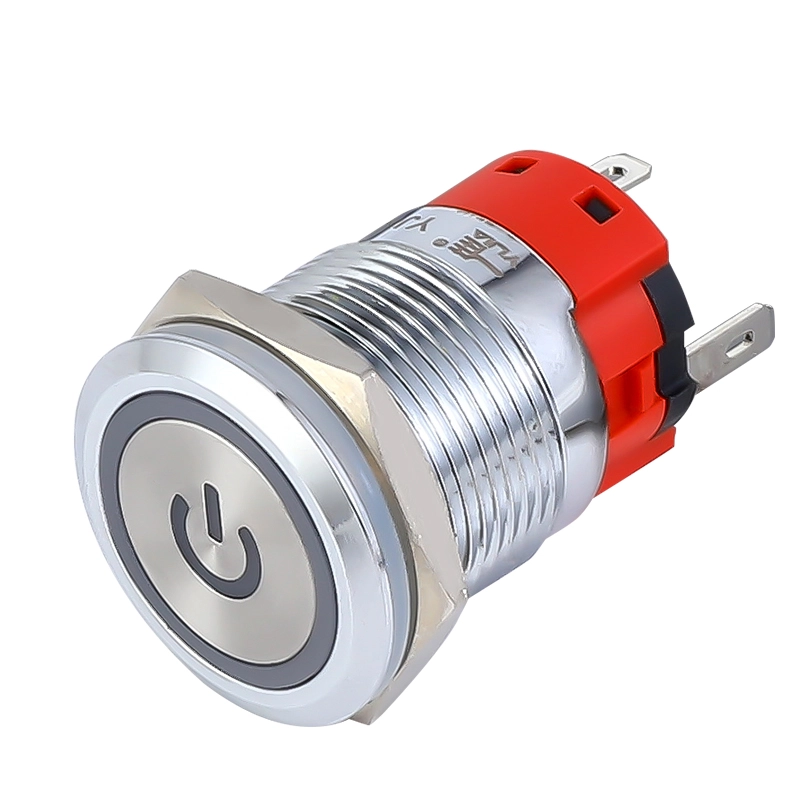
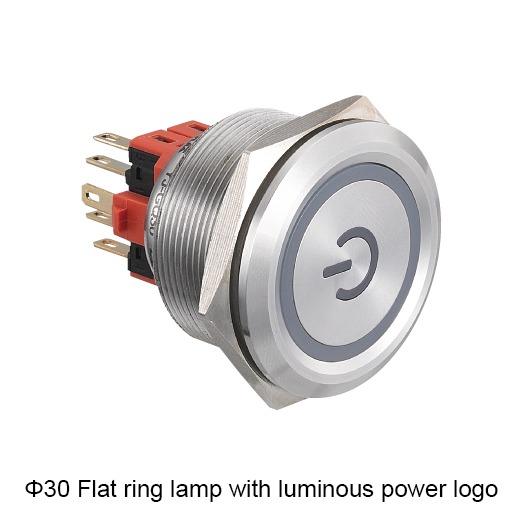
Yijia starter button Flat ring lamp with luminous power logo stainless steel 5-pin metal push button switch YJ-GQ19BF-11EP/N YJ-GQ19BF-11EZP/NInstallation dimensions: φ19MMLamp type: Flat ring lamp with luminous power logoRated voltage and current: 250VAC 5AOperation: Momentary maintainedLED color: Red Green Blue Yellow WhiteLED contact: 1NO1NC (5pins) / 2NO2NC (8pins)LED voltage: 1.8V、3V、6V、12V、24V、36V、48V、110V、220VShell material: Brass-clad chromium / Stainless […]
Yijia Product Brochure.zip In the field of industrial production, the degree of automation is getting higher and higher, and industrial robots, as an important production tool, have been widely used in various industries. In order to meet the demanding control requirements of industrial robots, Yijia has introduced the LA12 series of push-button switches designed specifically […]
Yijia Flat Ring lamp stainless steel 5-pin metal button YJ-GQ16BF-11E/N YJ-GQ16BF-11EZ/NInstallation dimensions: φ16MMLamp type: Flat Ring lampRated voltage and current: 250VAC 5AOperation: momentary maintainedLED color: Red Green Blue Yellow WhiteLED contact: 1NO1NC (5-pins) / 2NO2NC (8-pins)LED voltage: 1.8V、 3V、6V、12V、 24V、 36V、48V 110V、220Vshell material: Brass-clad Chromium/Stainless steel/ Aluminum alloy plating Request A Quote See More The […]
We use cookies to enhance your browsing experience, serve personalised ads or content, and analyse our traffic. By clicking "Accept All", you consent to our use of cookies.